For charging station operators
Powerbox.cloud: your stations under control
Online management of Powerbox charging stations from a computer or a phone. The operator sees each station's status, usage and energy consumption, switches it on and off remotely and decides what the public sees about it.
Powerbox.cloud is for companies, hotels, campsites, towns and building managers who own or operate a station. Cyclists need no app and no registration: they arrive, plug in the cable and charge. They find public stations on the station map and in the maps they already use: Mapy.com, OpenStreetMap or Google Maps.
Overview
All your stations in one place
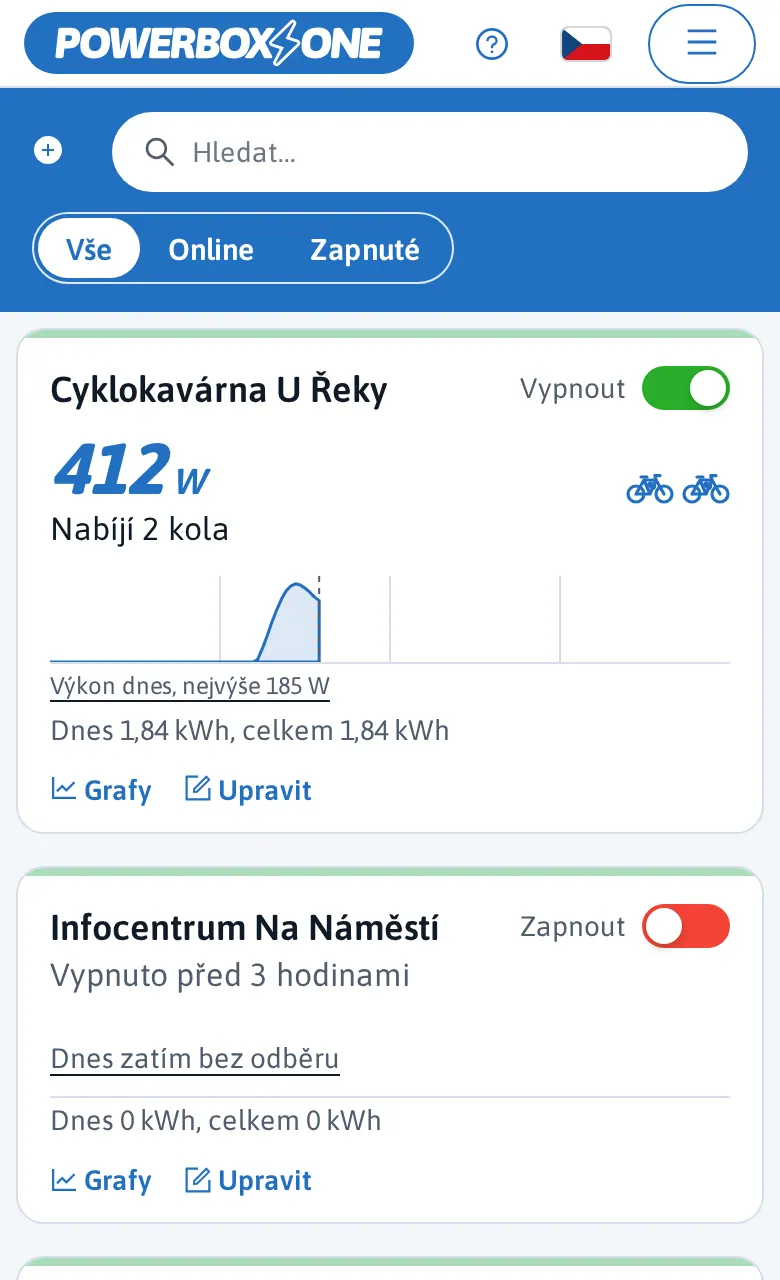
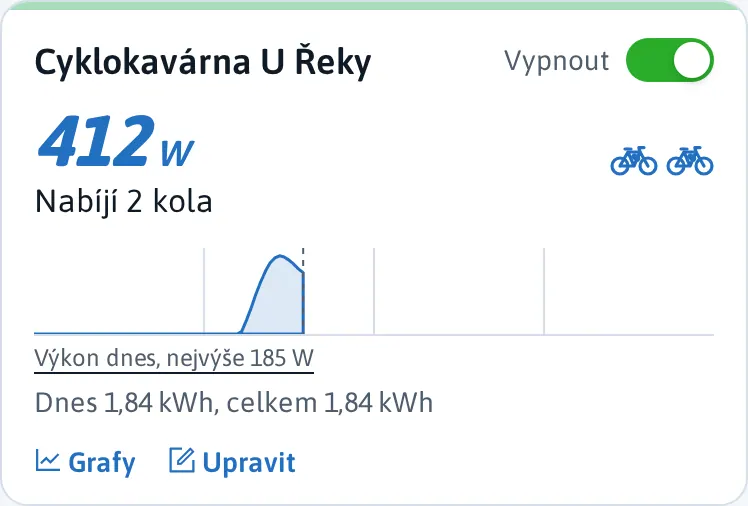
Find stations by searching, or filter to show only those online or switched on. Each station card shows live power, energy consumption and the number of e-bikes charging. When a station is offline, you also see since when.
- Remote on and offWith the switch in the corner of the card, from anywhere.
- Live dataPower in watts, consumption in kWh and the number of connected bikes.
- Adding a stationTap + and enter the station's MAC address.
Charts
How the station is really used
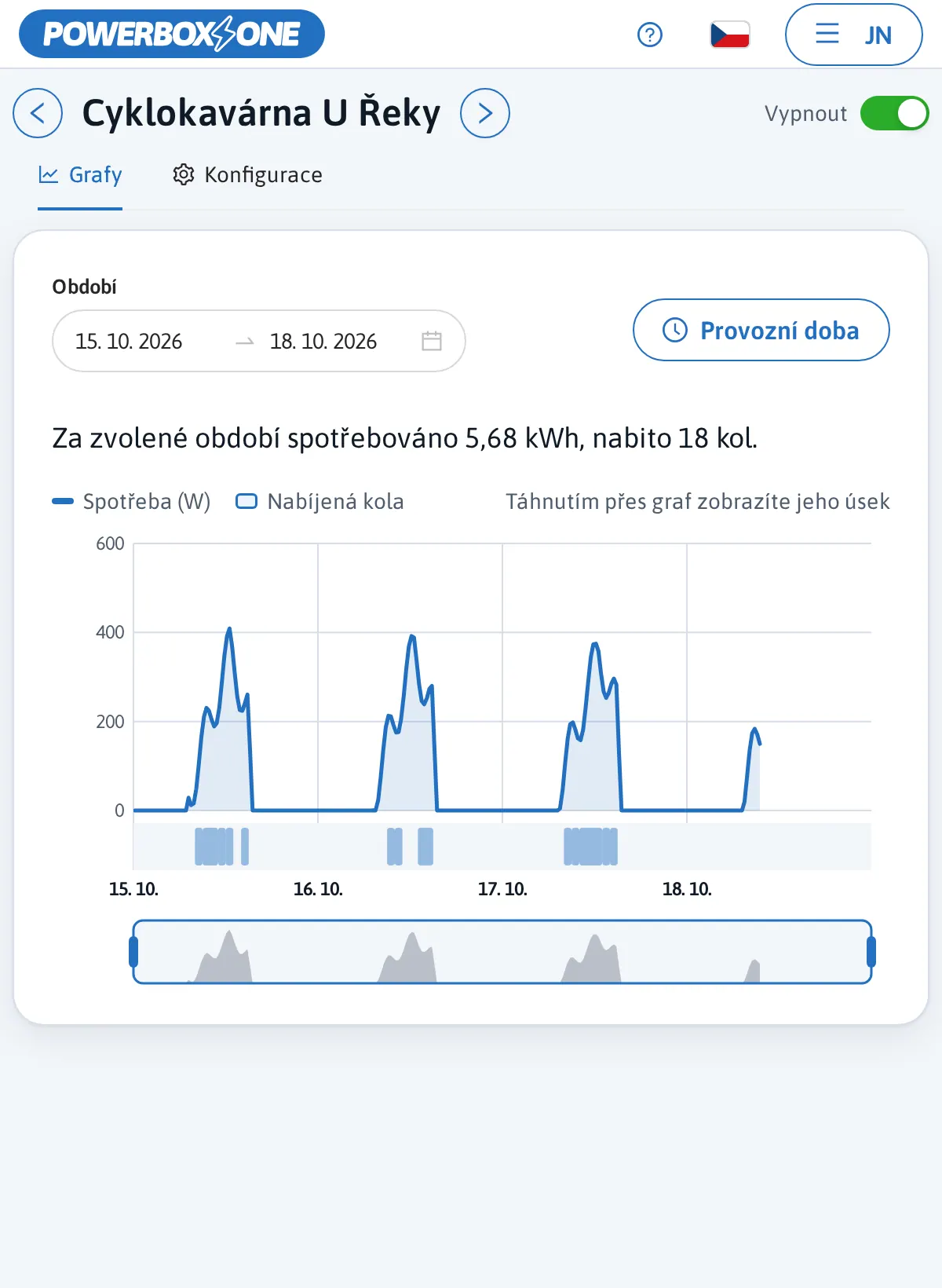
For any period you choose, you see power, the number of bikes charged and energy consumption. Useful for energy billing, for deciding on another station and for reports to management, the town council or a funding provider.
- How many bikes and whenCharging by the hour and a summary for the period.
- Consumption in kWhA basis for splitting energy costs between tenants or sites.
Station details
Opening hours, description and photos
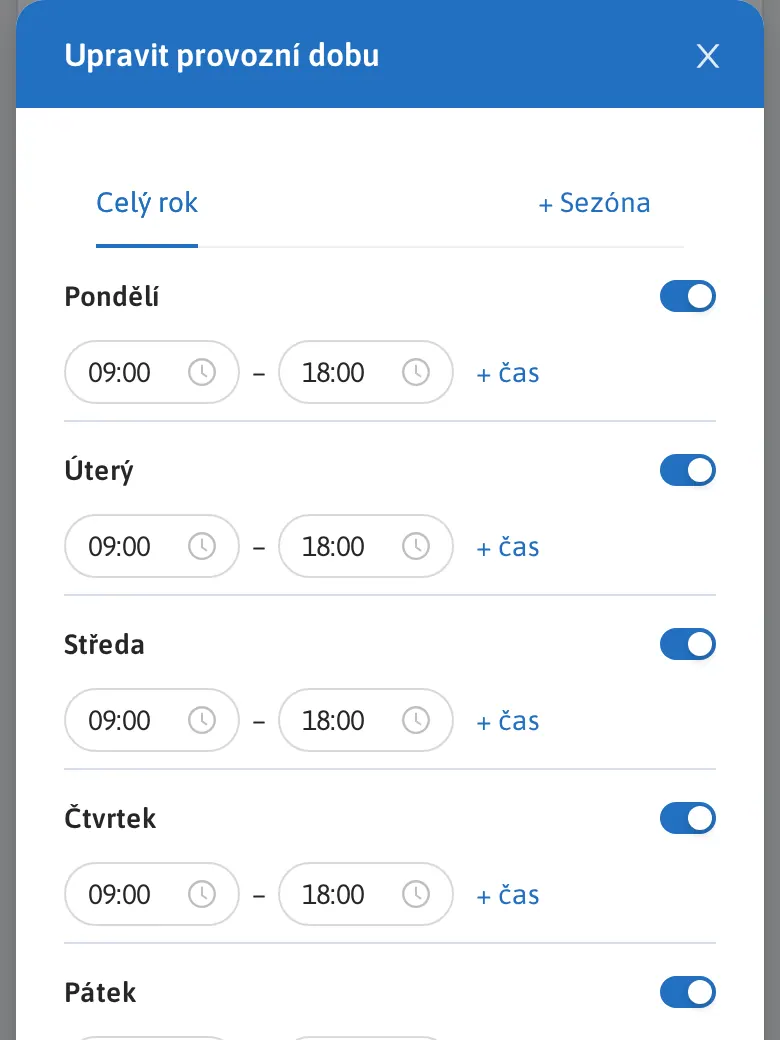
With the Edit button you set opening hours for each day, the season, a description, contact details and photos of the station. The station switches itself on and off according to the opening hours, so it does not charge when it should not.
For public stations these details are also published to map portals automatically, see below.
- Opening hours and seasonAll year round or only selected months.
- Photos and descriptionGuests know what to expect on site and where to borrow a cable.
Public stations on maps
Cyclists find you in the maps they use
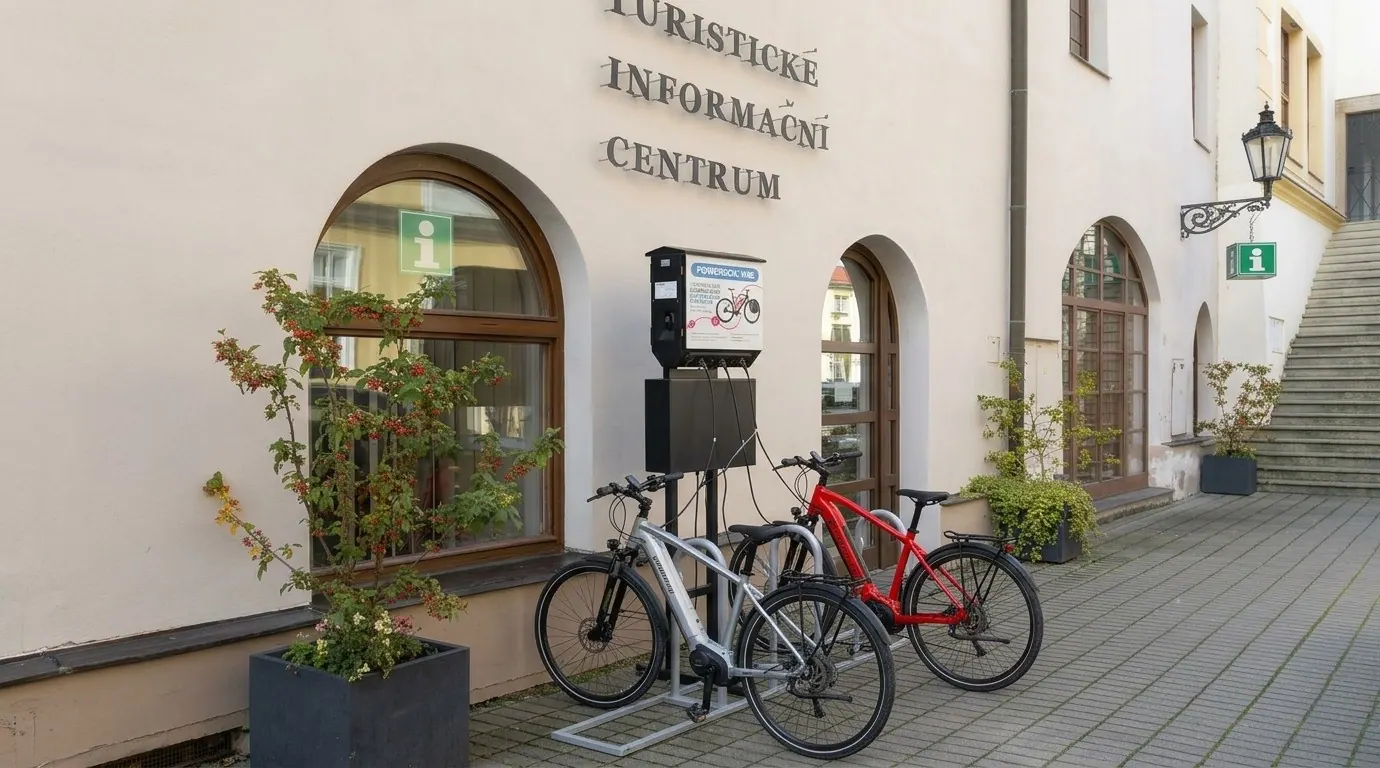
If your station is public, for example at a hotel, restaurant, campsite or tourist information centre, we automatically publish its Powerbox.cloud details to the major map portals. Cyclists who plan their routes with them will find your station easily, with opening hours, description and photos.
You fill everything in once in Powerbox.cloud. Changes appear on the maps by themselves; there is nothing to update anywhere else.
- Mapy.comMaps and navigation popular with cyclists and hikers.
- OpenStreetMapThe open map of the world that many other maps, apps and bike navigators draw on.
- Google MapsThe most widely used maps, where people look for a place to stop.
- Powerbox station mapA dedicated station page with connectors, opening hours and your contact details.
More features
What else Powerbox.cloud can do
Outage alerts
In My profile you can switch on e-mail alerts when a station has been offline for a while. A Wi-Fi outage on site is a common cause, so it is worth checking.
Remote updates
Station firmware is updated over the cloud (OTA). You get new features without a technician visit.
Who may charge
You can restrict charging to employees, tenants or guests.
Like an app on your phone
Install Powerbox.cloud on your phone or computer: choose Install app or Add to Home screen in your browser menu.
API
Station data in your own systems
Building managers and technicians can get the data through an API, so you can process the stations' operating data in your own databases and applications.
Show a station's status, power and consumption on your building management system (BMS) dashboard or in home automation, or pass it to an AI assistant or your own reports.
- Building management systemsBike charging alongside heating, lighting and other building services.
- Dashboards and reportsConsumption and usage in the tools you already use.
- Automation and AIScenarios and alerts based on station status and usage.

Licence and access
How you get into Powerbox.cloud
Managing the station, accessing its data and receiving updates requires an annual licence.
Station installation
After installation we assign the station to your user account automatically (onboarding). You can also add a station yourself using its MAC address.
Annual licence
Paid in advance for one year. We include the price for your country in your quote.
Sign in
At powerbox.cloud from a computer, tablet or phone.
Powerbox.cloud runs in the EU on the secure infrastructure of Anexia Cloud Solutions.
Try station management yourself
Sign in to the demo account at powerbox.cloud: e-mail demo@powerbox.one, password powerbox. You will see the UNICHARGE station outside the ekolo.cz shop at the Powerbox Solution Park in Prague-Ruzyně.
FAQ
What operators ask
Do cyclists need an app to charge?
No. Powerbox.cloud is for operators only. Cyclists do not register anywhere; they plug in the cable and charge. They find public stations on the station map.
Which maps will my public station appear on?
On Mapy.com, on OpenStreetMap, which many other maps and apps take their data from, on Google Maps and on the Powerbox station map. We publish them automatically from the details you fill in in Powerbox.cloud.
What is the licence for?
The licence unlocks remote station management, operating data and firmware updates over the cloud. It is paid in advance for one year.
How does the data get into our system?
Through the API. We will send the documentation from tech@powerbox.one.
Who can help me sign in?
The technical department at tech@powerbox.one or Powerbox.cloud support on +420 777 797 230 (English and Czech).